
TDEE & maintenance calorie calculator
Your TDEE — total daily energy expenditure — is what you burn on an average day. It is the number every calorie goal is built from: eat under it to lose weight, over it to gain. This calculator shows your BMR, your TDEE, and what the answer would be at every activity level.
Your results
Results update as you change the numbers.
TDEE
2,448
kcal / day
Total calories you burn on an average day.
BMR
1,780 kcal / day
Calories your body burns at complete rest.
This page runs the same equations as the CalEasy app, so the plan you see here is the plan you get in the app. Nothing you enter is sent to a server — the maths runs in your browser.
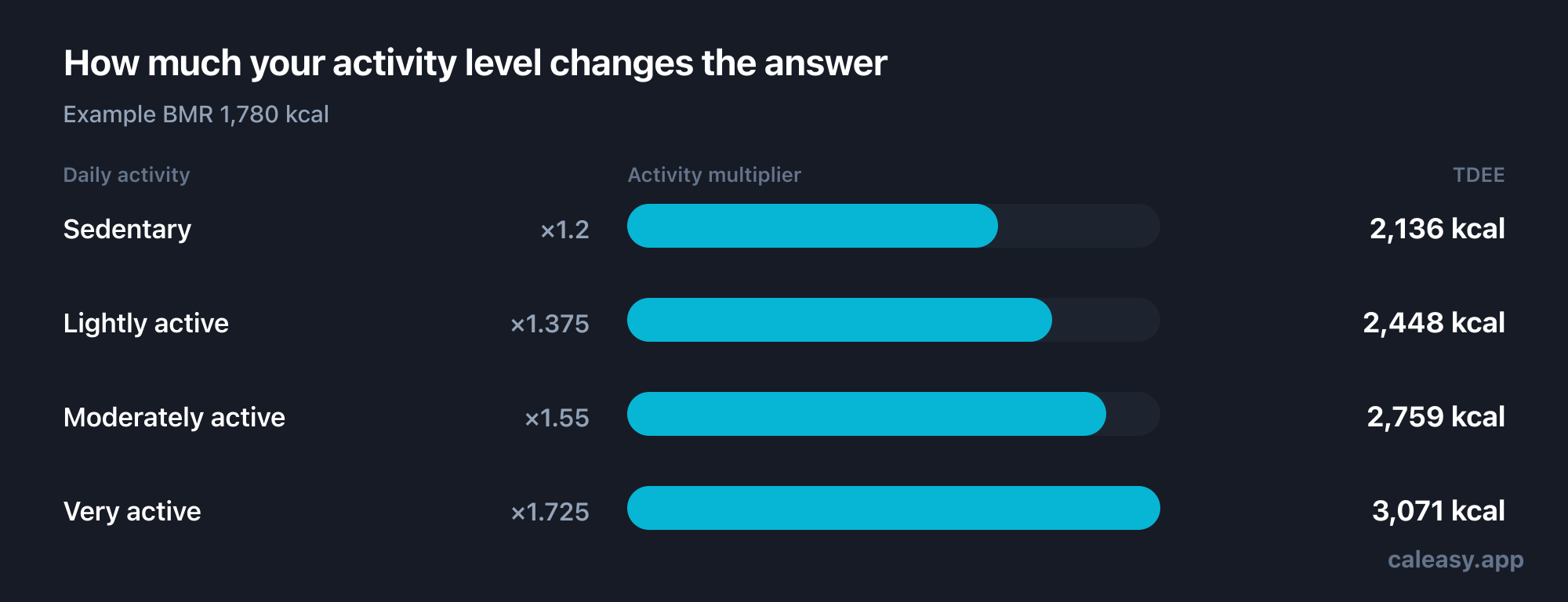
Your TDEE at every activity level
| Daily activity | × | TDEE |
|---|---|---|
| Sedentary Desk job, little walking, no regular training | 1.2 | — kcal |
| Lightly active Some standing and walking through the day, or 1–2 workouts a week | 1.375 | — kcal |
| Moderately active On your feet a lot, or 3–4 workouts a week | 1.55 | — kcal |
| Very active Physical job or 5+ hard sessions a week | 1.725 | — kcal |
Most people place themselves one level too high. If you are unsure, pick the lower option — you can always adjust once you have two weeks of real data.
BMR and TDEE are not the same number
Your basal metabolic rate (BMR) is what your body burns doing nothing at all — running your heart, brain, liver, and kidneys around the clock. For most adults it accounts for roughly 60–70% of daily energy use, which surprises people who assume exercise dominates.
TDEE is BMR plus everything else: digesting food, walking to the shop, fidgeting at your desk, and training. This calculator uses the Mifflin-St Jeor equation for BMR — the one most dietetic practice defaults to — and then applies an activity multiplier between 1.2 and 1.725 for the rest.
Choosing your activity level honestly
The activity multiplier is where estimates go wrong, and it almost always goes wrong in the same direction. Four gym sessions a week feel significant, but an hour of training might add 300–500 kcal to a day that already burns 2,000 — it does not move you from sedentary to very active on its own.
What actually separates the levels is the rest of your day. Someone with a desk job who trains four times a week usually lands around lightly to moderately active. A nurse, builder, or waiter on their feet for a full shift is genuinely moderately to very active before any training at all.
If your weight has been stable, the honest test is simple: whatever you have been eating is close to your real TDEE. If the calculator disagrees with that by more than a couple of hundred calories, trust your own data and adjust the activity level to match.
What to do with the number
To maintain your weight, eat around your TDEE. To lose, subtract 15–25%. To gain, add 10–15%. The calorie deficit calculator does that arithmetic for you and adds a timeline, plus a warning if the pace pushes your intake below a safe floor.
Whatever you do with it, treat the number as a hypothesis to test rather than a fact. Two to three weeks of consistent logging will tell you more about your real expenditure than any equation can — the formula gets you to a sensible starting point in ten seconds, and your own trend refines it from there.
Frequently asked questions
How accurate is a TDEE calculator?
For most people it lands within about 10% of reality, which is close enough to start. Body composition, genetics, medication, and how much you move unconsciously all shift the true figure. Use the estimate for two or three weeks, then adjust based on what the scale actually does.
Which BMR formula does this use?
Mifflin-St Jeor, which is generally more accurate for the modern population than the older Harris-Benedict equation and is the default in most dietetic practice. It uses your weight, height, age, and sex.
Why does my fitness tracker show a different number?
Trackers estimate active calories from heart rate and movement, and they tend to run high — sometimes by several hundred calories a day. If you plan from a tracker number, expect to eat more than your real expenditure. Use one consistent source and let your weight trend settle the argument.
Does TDEE change as I lose weight?
Yes. A smaller body costs less to run, and expenditure drops a little further as your body adapts to a sustained deficit. Recalculate every 4–5 kg (about 10 lb) or whenever progress stalls for two to three weeks.
Is TDEE different for men and women?
Yes, mainly because of differences in average body size and lean mass. The Mifflin-St Jeor equation accounts for this with a sex-specific constant, which is why the calculator asks.
Estimates, not medical advice
These calculators use published equations to estimate your energy needs. They are informational only — not a diagnosis, treatment, or a substitute for professional advice. Individual needs vary with body composition, medication, and health conditions. Talk to a doctor or registered dietitian before making significant changes, especially if you are pregnant or breastfeeding, under 18, or managing a medical condition or eating disorder.
See the science and sources behind our numbers →Other calculators
Keep reading
And this is where you hit it
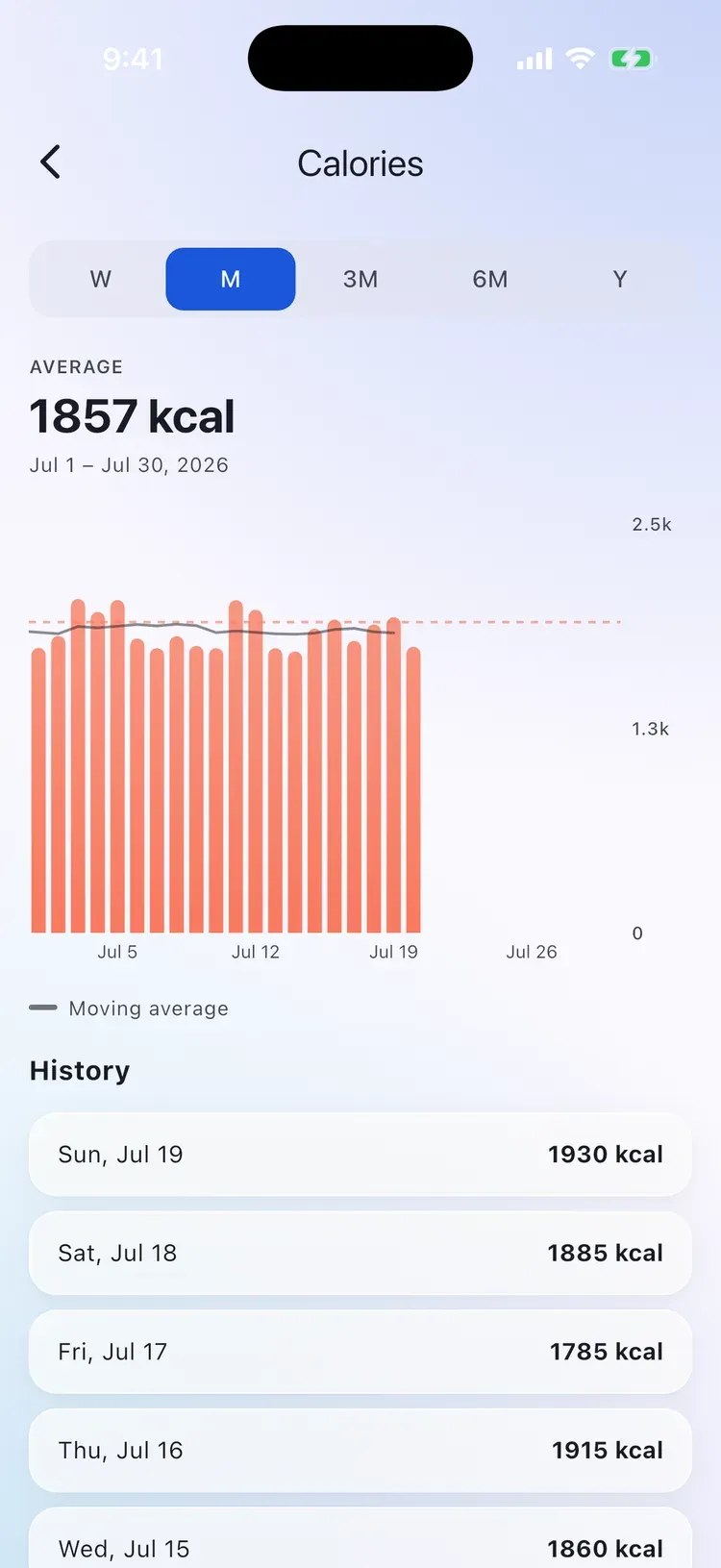
A number is easy. Hitting it every day is the hard part.
CalEasy turns your target into a daily habit: snap a photo of your meal, say what you ate, or type it — the AI does the counting. Your target, macros, and progress stay in one place.
Get CalEasyFree trial. Cancel anytime.